
7 Best Seline Alternatives for Privacy Analytics (2026)
Seline
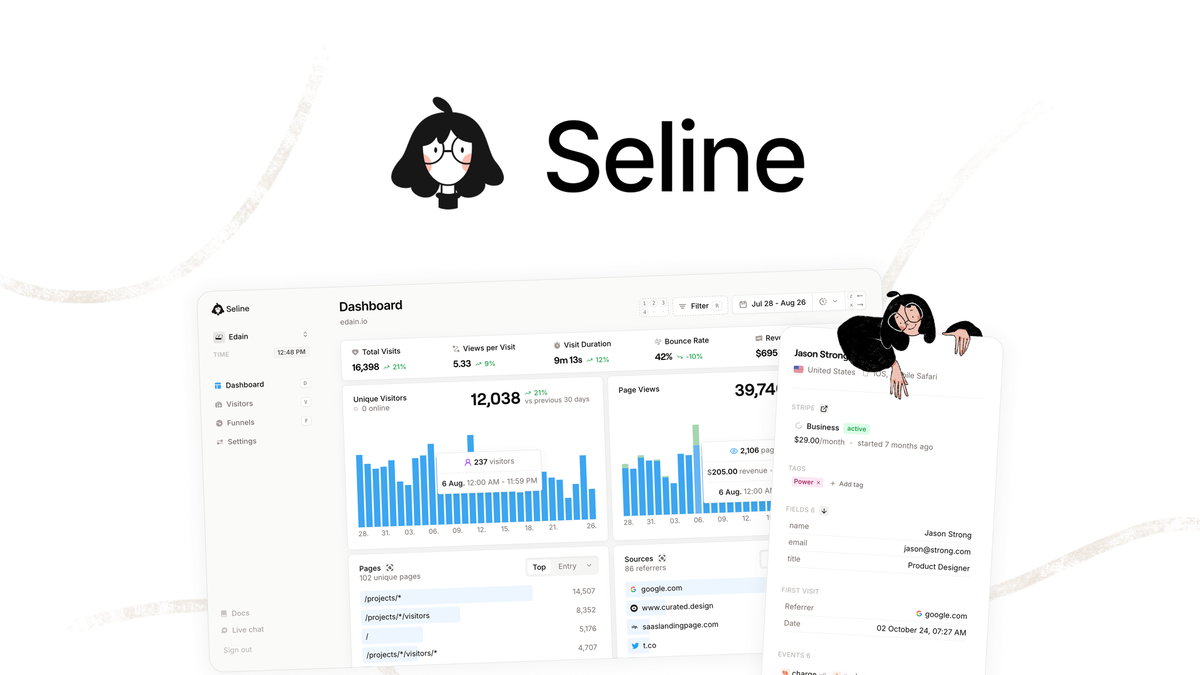
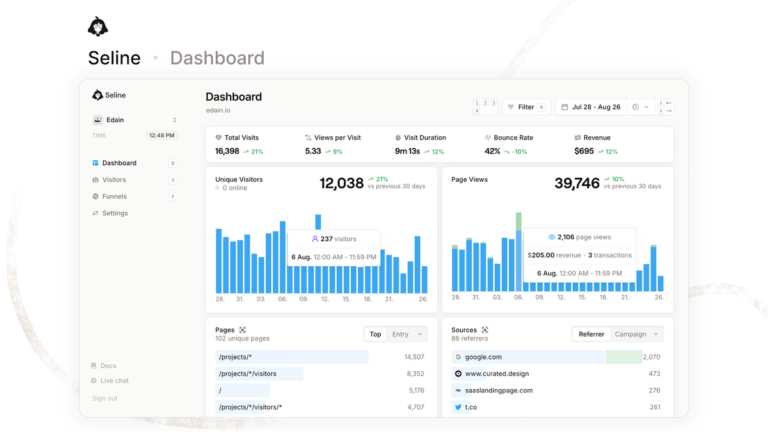
Are your analytics blocked by ad blockers and cookie banners. Seline solves this with a lightweight, privacy-first tracker founded by Kostya Nesterovich in Poland in 2024.
I compared Seline Alternatives during a hands-on trial of public docs and demo data. Seline earned 4.6 out of 5 for realtime reporting, journeys, and revenue attribution.
Quick verdict: Best overall is Seline Tier 1 at $59 for 25k monthly events, best for funnels and Stripe revenue on small sites. Best free option is Google Analytics for full reporting depth.
This article will cover how I picked each tool, side-by-side pricing, and who each option suits best.
- Comparison table with free plans and starting prices
- What to check before you switch analytics tools
- Detailed profiles of 7 privacy and product analytics tools
- Best pick by use case and switching tips
- Final verdict and switching FAQs
Get Seline Tier 1 for $59 and track 25k events with 3-year retention. Check the official Seline site for current Pro plan details.
How I Chose These Seline Picks
I started with buyer questions from SERP results, G2 lists, and privacy analytics forums. Most buyers ask about cookieless tracking, GDPR hosting, funnels, revenue links, and price per event.
I included only tools with active development, public pricing, and clear privacy documentation. Each pick had to cover realtime or near-realtime stats, custom events, and at least one Seline strength such as journeys, funnels, or revenue.
I weighted ease of setup, script weight, data retention, and event caps. Self-hosted and cloud picks were both allowed if they serve privacy-focused teams. Prices below reflect public pages in 2026 and can change, so confirm before you buy. For Seline deal terms, see my Seline lifetime deal breakdown before you shortlist.
Seline Alternatives Comparison Table
Use this table to shortlist two options before reading full profiles. Free plans suit testing, while paid plans matter for retention and funnels.
| Tool | Free Plan | Starting Price | Best For | Key Feature |
|---|---|---|---|---|
| Plausible | ✗ | $9/mo | Simple blogs | Lightweight script |
| Fathom | ✗ | $15/mo | Compliance teams | Simple dashboard |
| Google Analytics | ✓ | $0 | Free depth | GA4 reports |
| Simple Analytics | ✓ | $20/mo | EU startups | No cookies |
| PostHog | ✓ | $0 | Product teams | Flags and replays |
| Umami | ✓ | $0 self-host | Self-hosting | Open source |
| Pirsch | ✗ | $5/mo | Low budgets | Affordable privacy |
What to Look for in Seline Alternatives
The Best Seline Alternatives balance privacy, behavior insight, and cost per event. Check these five areas before you move scripts or import history.
Privacy Compliance
Privacy compliance means cookieless tracking, EU data hosting, and no cross-site sharing. It matters because consent banners lower response rates and create legal risk. Check GDPR statements, data residency, cookie use, and adblock bypass methods.
Journeys and Funnels
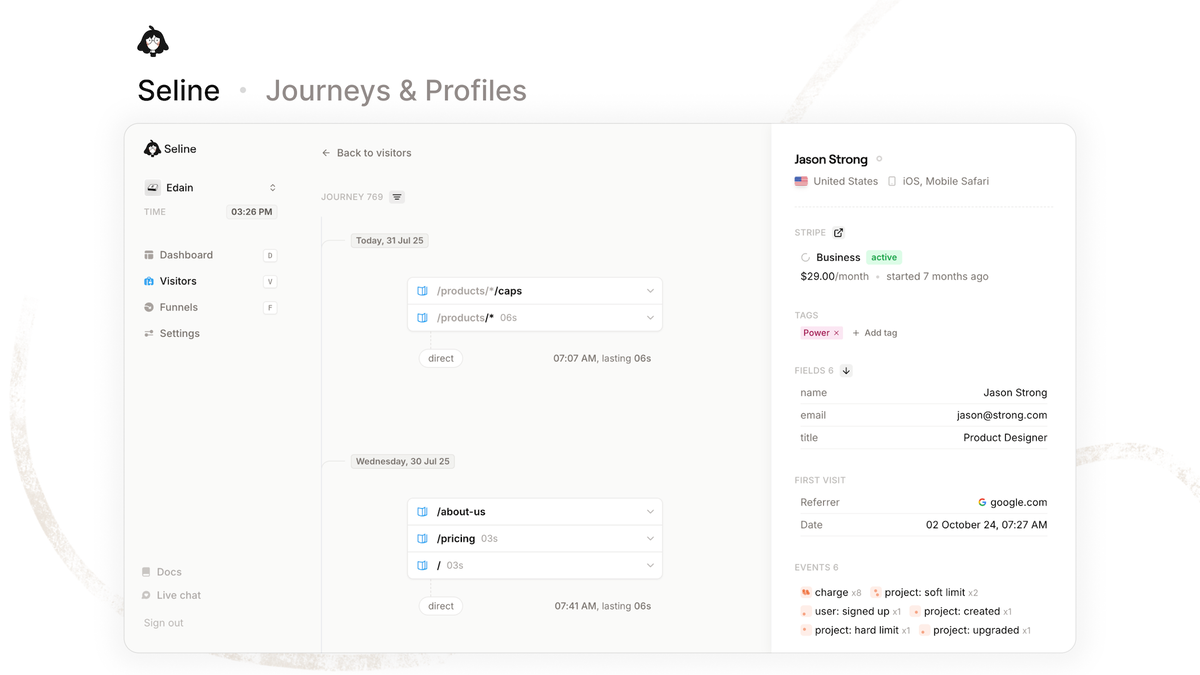
Journeys show page paths per visitor, while funnels measure step completion. They matter when you fix drop-offs in signup or checkout flows. Check path timelines, profile views, funnel steps, and realtime updates.
Revenue Attribution
Revenue attribution links pageviews to paid customers through Stripe, Polar, or Shopify. It matters for content ROI and churn analysis. Check native integrations, custom revenue events, currency support, and refund handling.
Ease and Speed
Ease means one script, clear dashboards, and fast setup without developers. Speed affects Core Web Vitals and block rates. Check script size, install steps, dashboard clarity, and bot filtering.
Pricing and Retention
Pricing sets cost per event, site limits, and retention years. Seline offers 3-year retention on LTD tiers, which many rivals limit. Check monthly events, site caps, retention months, and overage fees.
1. Plausible – Best for Simple Blogs
Plausible is a privacy-friendly web analytics tool for blogs, SaaS sites, and agencies. It suits you if you want pageviews, sources, and goals without cookie banners or complex setup.
Plausible Key Features
- Lightweight script: Loads fast with a tiny tracker that protects page speed and Core Web Vitals. You keep mobile load times steady while still collecting accurate traffic data.
- Goals and funnels: Tracks signups, clicks, and custom events clearly without complex setup. You see which pages drive conversions and fix drop-offs faster.
- Search Console and Google Ads links: Connects traffic with query and campaign data in one dashboard. You judge content ROI without juggling separate reports.
- EU hosting with cookieless option: Stores data in the EU without cookies to support GDPR compliance work. You skip banners on simple blogs while keeping compliance docs simple.
Plausible Pros and Cons
- Very simple dashboard that new team members learn in minutes
- EU hosting and cookieless option help with GDPR compliance work
- Light script keeps page load impact low on mobile devices
- Misses visitor journeys and profiles that Seline includes by default
- Lacks native Stripe revenue tracking and needs custom event work
- Comes without a free plan and only offers a 30-day trial
Plausible Pricing
Starter starts at $9 per month for 10k pageviews on one site. Business adds funnels and ecommerce tracking at higher event limits. Annual billing lowers cost, and all plans include unlimited sites with retention by tier.
Who Should Use Plausible
Best for bloggers and small SaaS teams that want simple, fast stats. Pick it if funnels at a basic level are enough and revenue depth is not critical.
2. Fathom – Best for Agencies and Compliance
Fathom is a cookieless analytics platform for businesses that need clean reports and strong privacy claims. It suits agencies, SaaS brands, and publishers that share reports with clients.
Fathom Key Features
- Single-page realtime dashboard: Shows realtime visitors, sources, and content breakdowns in one clean view. You check performance in seconds without digging through complex reports.
- Custom event tracking: Measures completions for forms, checkouts, and calls to prove what converts. You tie key actions to traffic sources for clearer client reporting.
- Uptime monitoring and email reports: Watches availability while sending weekly summaries to the team. You catch outages early and share progress without manual exports.
- Privacy compliance documentation: Covers GDPR, CCPA, and PECR with clear public docs for client trust. You shorten security reviews when sharing reports with compliance teams.
- Reporting API and data export: Pulls stats into dashboards and workflows with simple export options. You automate client reporting without copying numbers by hand.
Fathom Pros and Cons
- Clear privacy positioning with GDPR, CCPA, and PECR documentation
- Fast script with adblock-resistant loading options on custom domains
- Simple data export and API access for reporting workflows
- Skips user-level journeys and Stripe customer profiles entirely
- Funnel depth is basic compared with Seline and PostHog
- Starts without a free tier and costs more than Pirsch and Umami
Fathom Pricing
Plans start near $15 per month for up to 100k pageviews. Higher tiers raise pageview caps and add team features. Annual billing saves about two months, with no free plan beyond trial.
Who Should Use Fathom
Best for compliance-focused teams that want trusted reports without sampling. Pick it if you value polish and privacy docs over behavior depth.
3. Google Analytics – Best for Free In-Depth Reporting
Google Analytics 4 is the free standard for traffic, engagement, and conversion data. It suits you if you need deep reports, ad links, and generous event volume at zero cost.
Google Analytics Key Features
- Explorations with funnels, paths, and cohorts: Supports detailed behavior review beyond basic pageviews. You diagnose drop-offs and segments with deeper analysis than privacy-only tools allow.
- Google Ads and Search Console links: Ties spend to onsite actions for full-funnel reporting. You connect ad cost to conversions and queries without third-party workarounds.
- BigQuery export: Supports custom models and long-term storage for advanced analysis. You retain raw events for modeling even when interface retention limits apply.
Google Analytics Pros and Cons
- Free plan covers most small and mid-size sites without event fees
- Deepest integration with Google ads, retail, and publisher tools
- Strong attribution, audiences, and predictive metrics for growth teams
- Cookie-based tracking faces consent loss and adblock gaps
- Interface is complex and sampling can confuse new users
- EU data transfer concerns remain for strict privacy teams
Google Analytics Pricing
Standard GA4 is free with high event limits for most sites. Analytics 360 starts near $50k per year for SLAs and higher caps. Extra BigQuery costs apply only if you export large volumes.
Who Should Use Google Analytics
Best for teams that need free depth and ad reporting. Pick it if privacy banners are acceptable and you have time to learn reports.
4. Simple Analytics – Best for Privacy-First Startups
Simple Analytics offers no-cookie page analytics hosted in the EU. It suits indie makers and startups that want clean traffic proof without personal data storage.
Simple Analytics Key Features
- No-cookie collection: Captures referrer, UTM, and device breakdowns without personal data storage. You get honest traffic proof while avoiding consent banners.
- Summaries and email reports: Highlights key changes so you spot traffic shifts quickly. You stay updated on performance without logging in daily.
- Public badges and embeds: Shows transparent traffic to visitors directly on your site. You build trust with advertisers and readers through open proof.
- Lightweight EU-hosted script: Runs a small tracker with minimal data collection by design. You cut adblock impact while keeping the interface free of report overload.
Simple Analytics Pros and Cons
- Strong EU privacy story with minimal data collection by design
- Very clean interface that avoids report overload for founders
- Blocks most adblock impact with lightweight script setup
- Omits journeys, profiles, and native revenue sync found in Seline
- Funnels and events are simpler than PostHog or GA4
- Free plan limited to hobby sites with 1-month history
Simple Analytics Pricing
Plans start at $20 per month for 100k pageviews. Higher tiers add team seats, longer retention, and more sites. Annual billing reduces monthly cost for long-term projects.
Who Should Use Simple Analytics
Best for EU startups that want minimal, honest traffic stats. Pick it if you value simplicity over funnels and revenue depth.
5. PostHog – Best for Product Teams
PostHog combines web analytics with product tools for startups and SaaS teams. It suits you if you need funnels, cohorts, and experiments beyond pageviews.
PostHog Key Features
- Autocapture with session replay and heatmaps: Shows real user behavior beyond aggregate pageviews. You watch actual sessions to find friction that charts alone miss.
- Feature flags and A/B tests: Links releases to conversion shifts for product decisions. You ship changes safely while measuring impact on funnels.
- SQL insights and cohorts: Supports deep product questions around retention and paths. You answer custom behavior queries without exporting to another warehouse.
- Funnels, paths, and retention views: Maps signup and activation flows with cohort retention built in. You find where users drop off and tie it to replays for faster fixes.
PostHog Pros and Cons
- Generous free tier with monthly event allowance for early products
- Self-host option gives control over data residency and retention
- Strong funnel, path, and retention views for product teams
- Setup and event taxonomy take more time than Seline
- Cookie use requires consent planning in strict EU cases
- Interface can feel heavy for simple blog traffic checks
PostHog Pricing
Free tier includes a monthly event allowance, then usage billing applies per product. Paid web analytics starts with pay-as-you-go rates. Self-hosting is free but needs your own server costs.
Who Should Use PostHog
Best for product-led SaaS that needs replays and experiments. Pick it if you outgrow pageview tools and want behavior depth.
6. Umami – Best for Self-Hosting
Umami is an open source web analytics tool you can self-host or run on Umami Cloud. It suits developers and privacy teams that want full data ownership.
Umami Key Features
- Lightweight tracker with realtime views: Records pageviews, events, and realtime views with minimal overhead. You cover core traffic needs without slowing pages or adding bloat.
- Multi-site dashboards with share links: Manages all sites and shares results with clients or teams. You simplify reporting across projects from one clean interface.
- Self-host Docker setup: Keeps data on your own server for full ownership. You control residency, retention, and backups without per-event fees.
- Open-source codebase: Lets you audit tracking logic and control data handling directly. You prove privacy claims to clients without trusting a black box.
Umami Pros and Cons
- Free self-host option with no event fees beyond server cost
- Open source code allows audits and custom data controls
- Simple UI that covers core traffic needs without bloat
- Excludes native journeys, customer profiles, and Stripe revenue sync
- Funnels are basic and lack Seline-level attribution depth
- Self-hosting needs updates, backups, and uptime care
Umami Pricing
Self-hosted is free apart from hosting fees. Umami Cloud Hobby is free for 100k events, and Pro starts at $20 per month. Higher cloud tiers add sites, team seats, and longer history.
Who Should Use Umami
Best for developers who want control and low cost. Pick it if self-hosting fits your stack and basic stats are enough.
7. Pirsch – Best for Small Sites on a Budget
Pirsch is a cookieless analytics tool made in Germany for blogs and small businesses. It suits you if you want low-cost privacy stats with goals and funnels.
Pirsch Key Features
- Cookieless tracking with EU hosting: Provides clean compliance pages to support GDPR work. You run privacy-friendly analytics without banners on budget sites.
- Goals, funnels, and UTM reports: Covers basic growth needs for blogs and small businesses. You track sources and conversions enough to guide content without complexity.
- White-label embeds and API access: Supports client reporting without Pirsch branding. You share clean dashboards and pull data into your own workflows easily.
- WordPress, Ghost, and JS integrations: Connects in minutes with plugins and a small snippet. You launch cookieless stats on small sites without developer help.
Pirsch Pros and Cons
- Low entry price suits side projects and local businesses
- Simple setup with WordPress, Ghost, and JS integrations
- Good uptime and support record for small teams
- Drops visitor profiles and revenue links that Seline provides
- Product analytics depth is limited versus PostHog
- Offers no free plan and requires paid billing after trial
Pirsch Pricing
Plans start near $5 per month for 10k pageviews. Mid tiers cover 100k to 500k pageviews for growing sites. Annual billing lowers cost, with all plans cookieless by default.
Who Should Use Pirsch
Best for budget sites that still need EU privacy. Pick it if Plausible feels costly and your funnel needs stay basic.
Best Pick by Use Case
- Simplest privacy dashboard: Plausible
- Compliance reporting: Fathom
- Free full reporting: Google Analytics
- EU minimalism: Simple Analytics
- Product depth: PostHog
- Self-host control: Umami
- Low budget privacy: Pirsch
- Revenue plus journeys on LTD: Seline Tier 1 at $59
Switching Tips from Seline
Moving scripts takes care to avoid data gaps and lost goals. Follow these steps to keep history useful while you test a new tool.
- Export key baselines first. Save last 90 days of traffic, top pages, sources, and conversion rates from Seline before you remove any script. This gives you a reference if the new tool counts visits differently.
- Run both scripts in parallel for 14 days. Install the new tracker alongside Seline on all templates, then compare pageviews, events, and funnel steps. Keep UTM rules identical so source data stays clean.
- Rebuild goals and revenue links next. Recreate custom events, funnel steps, and Stripe or Shopify webhooks in the new tool. Send a test purchase and confirm revenue, currency, and customer ID appear correctly.
- Handle privacy and retention last. Update your privacy page, consent setup, and data residency notes. Export Seline history for 3-year records, then remove the old script and verify page speed.
Final Verdict on Seline Alternatives
Best overall for most readers is staying with Seline if revenue and journeys matter. Tier 1 at $59 covers 25k monthly events with 3-year retention, which beats many subscriptions after a few months. See the detailed Seline review for the scored feature tests.
Best value privacy pick is Pirsch for small sites and Umami self-hosted for developers. Best for product depth is PostHog, while best free option remains Google Analytics for ad-linked reporting.
If you need EU simplicity, shortlist Plausible, Fathom, and Simple Analytics based on budget. Try your top two side by side for a week and compare funnel counts before you commit.
Seline FAQs
What is the closest privacy-first switch from Seline?
Plausible and Fathom are the closest for simple cookieless stats and EU compliance. They lack Seline journeys and Stripe profiles, so keep Seline if revenue links drive your content choices.
Can I self-host instead of using Seline Cloud?
Yes, Umami and PostHog offer self-hosting with full database control. You manage servers, backups, and updates, while Seline Cloud removes that work with unlimited sites and 3-year retention.
Which free option replaces Seline for small sites?
Google Analytics free covers traffic and funnel depth at zero cost. Umami self-hosted is free apart from hosting, while PostHog free tier suits early SaaS products with event caps.
How do I keep revenue data when leaving Seline?
Export orders, event logs, and funnel baselines before migration. Rebuild Stripe or Shopify webhooks in the new tool, send test purchases, and run parallel tracking for two weeks.
Do any alternatives include visitor journeys like Seline?
PostHog offers paths and session replay that go beyond Seline timelines. Plausible, Fathom, and Pirsch show aggregate flows only, without per-visitor profiles or churn context.
Should I switch if I already hold the Seline lifetime deal?
Stay if you use revenue attribution, unlimited sites, or long retention. Switch only for free depth, self-host control, or product experiments that Seline does not cover in your current tier.




One Comment
Comments are closed.