
Seline Lifetime Deal: Prices and Verdict (2026)
Seline
Are your analytics slow, bloated, and hard to trust for real decisions? Google Analytics often feels complex and cookie banners only make the user experience worse.
I rate the Seline Lifetime Deal 4.6 out of 5 after a hands-on trial of the public demo and docs. It pairs live traffic data with revenue proof in a dashboard that stays simple.
Quick verdict: Pick Tier 3 at $289 for 275k pageviews if you run client sites or growing SaaS, or pick Tier 1 at $59 for 25k pageviews if you run one blog.
This article will cover what Seline does, who built it, and how the deal tiers compare to monthly pricing.
- Key features, hands-on trial notes, and setup steps
- Deal tiers, pageview limits, and break-even math
- Pros, cons, alternatives, and final verdict
- Answers to common buyer questions about Seline
See what Seline tracks for you with lifetime access from $59 and keep revenue data without a monthly bill.
Quick Overview: Seline at a Glance
Seline was founded by Kostya Nesterovich on July 23, 2024 in Warsaw, Poland. The team is small and bootstrapped with one to ten people serving around 1,000 websites.
It now processes tens of millions of events daily with a focus on speed and privacy. You get insights without cookies, fingerprinting, or heavy scripts slowing your pages.
| Fact | Detail |
|---|---|
| Founder | Kostya Nesterovich, Warsaw Poland |
| Founded | July 23, 2024, bootstrapped 1-10 team |
| Scale | About 1,000 websites, tens of millions events daily |
| What it is | Privacy-first analytics with revenue attribution |
| Integrations | WordPress, Webflow, Shopify, Stripe, Polar, GTM, Framer, Ghost, Next.js |
| Regular price | Pro $14 per month for 25k pageviews |
| Deal price | From $59 one-time, 60-day refund |
What Is Seline?
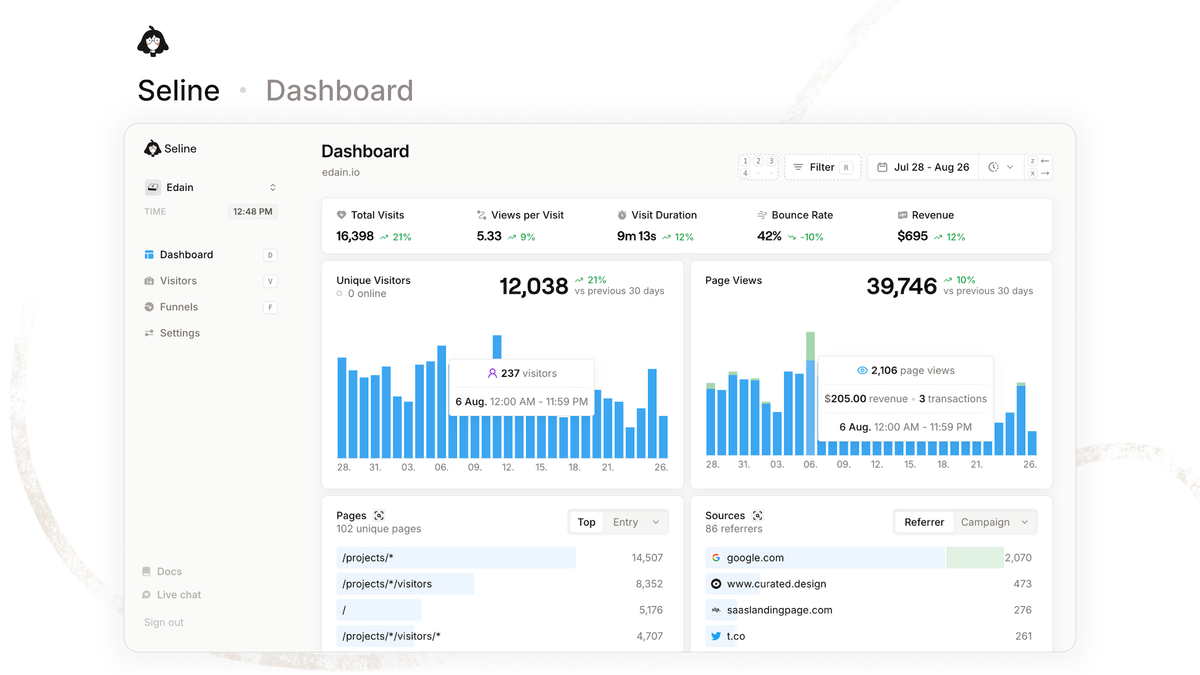
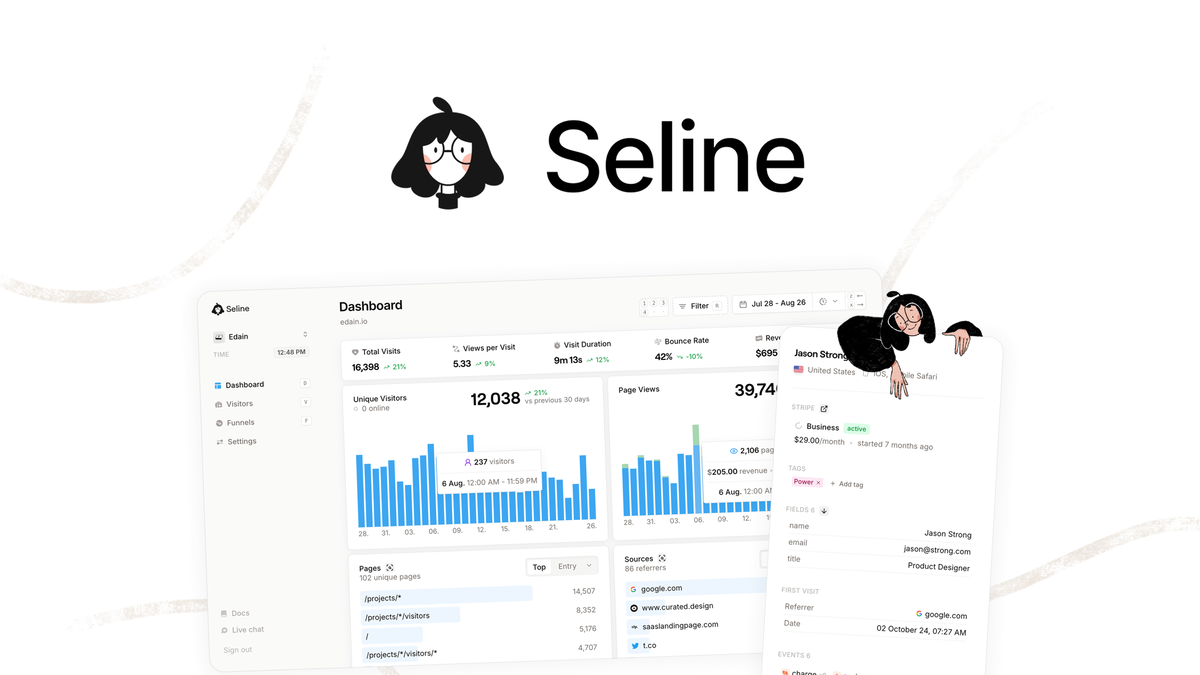
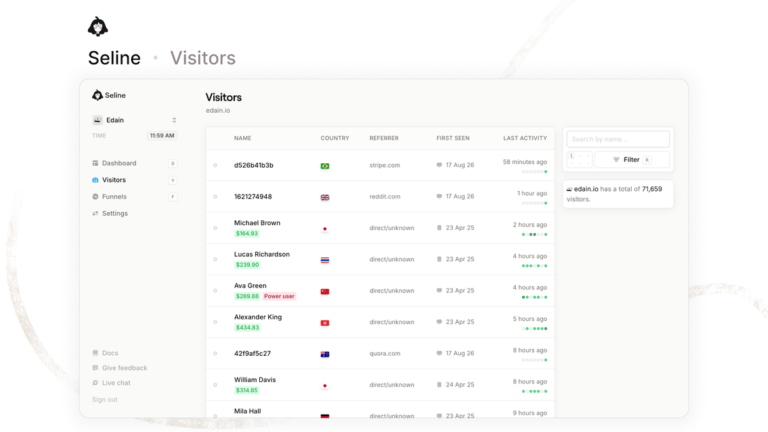
Seline is a privacy-first Google Analytics alternative built for clarity and speed. It shows live visitors, traffic sources, pages, UTMs, and goals in one clean dashboard.
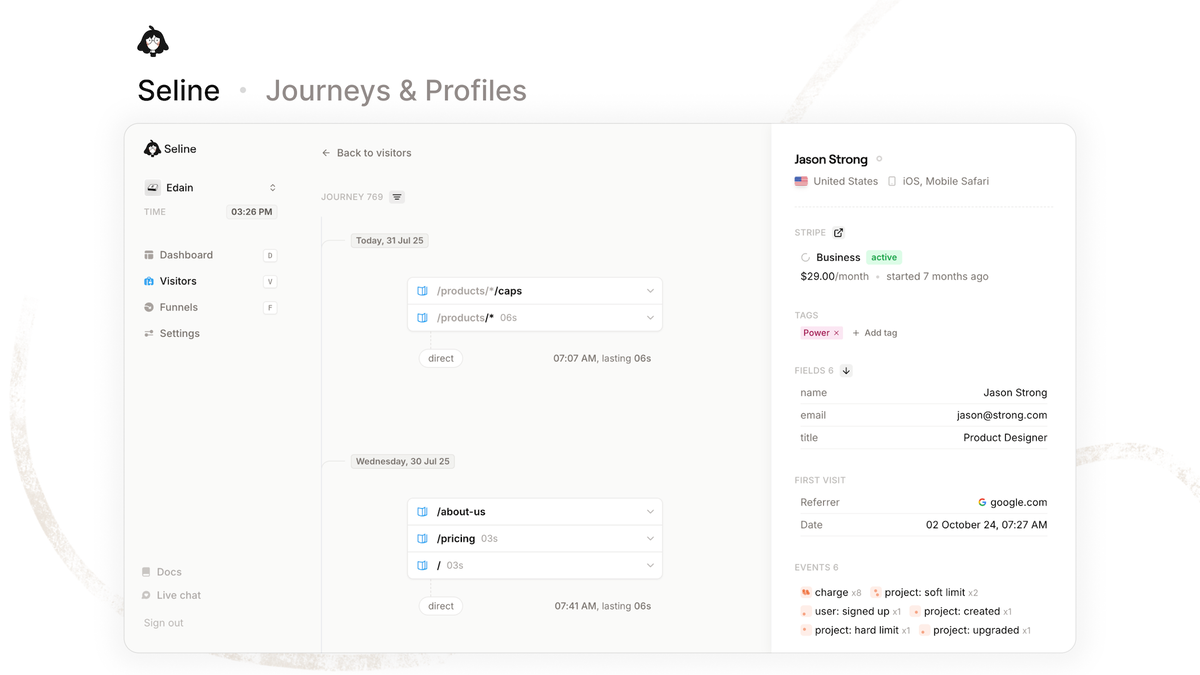
You can follow visitor journeys, build user profiles, and enrich them with Stripe data plus churn tags. This helps SaaS teams see which accounts engage, upgrade, or drift away.
Revenue analytics connects payments from Stripe, Polar, Shopify, or custom events to marketing channels. You learn more from Seline official site about events, but the idea is simple: tie visits to money.
Tracking is cookieless, GDPR and CCPA ready, hosted in the EU, and uses a 2KB script. Ad-blocker bypass and advanced bot detection keep your numbers cleaner than standard setups.
Key Features of Seline
These are the tools I explored during my hands-on trial of the demo and help docs. Each one solves a clear reporting job without adding clutter to your workflow. I break each one down further in my Seline features guide.
Real-Time Dashboard with Live View
This shows active visitors, top pages, referrers, countries, and goals as they happen. It matters because you can check a launch or campaign and react in minutes.
On very busy days the live feed can feel noisy, so lean on date filters and goals to surface the signals that guide your next content move.
Visitor Journeys and User Profiles
Journeys map pages, clicks, and events for one visitor in timeline order. Profiles group those visits and add Stripe details plus churn tags for SaaS context.
This matters when you support users or review trial behavior before a call. Enrichment is only as reliable as your setup. Stripe must be linked correctly and emails matched cleanly for profiles to fill in.
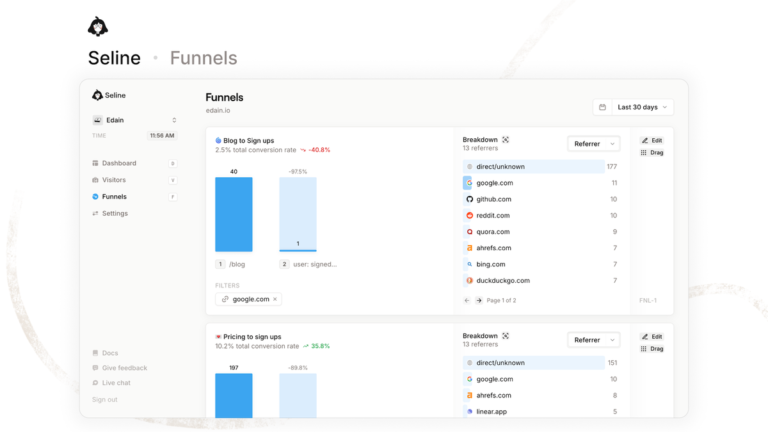
Funnels That Show Drop-Offs
Funnels track steps like pricing page to signup to paid checkout in order. You see where people leave and which step needs clearer copy or fewer fields.
Accuracy here comes from discipline. Name events carefully and hold each funnel to three or four key steps so reports stay readable.
- Use funnels for signup, trial start, checkout, and onboarding checklists.
Revenue Attribution for Stripe and Shopify
Revenue analytics links orders and subscriptions back to channels, campaigns, and landing pages. It matters because you stop guessing which posts or ads actually create income.
Unusual checkout stacks need a developer hour to wire custom events. Standard Stripe and Polar links connect faster, while Shopify follows a setup guide.
Seline AI Chat with MCP Access
Seline AI answers traffic questions in plain English and builds charts for you. You can ask why signups dipped and get a breakdown by source or page.
MCP access lets AI tools query your analytics with permission for deeper work. Treat AI output as a starting point. Vague event names produce vague summaries, so tidy naming pays off here.
Privacy-First Tracking That Stays Fast
The 2KB script loads fast, skips cookies, and stores data in the EU. It bypasses many ad blockers and filters bots so your pageviews stay more complete.
This matters for compliance and page speed on blogs and stores. In exchange you give up deep device fingerprinting, a fair swap most privacy-minded buyers accept gladly.
Unlimited Websites with Shareable Dashboards
Every tier allows unlimited websites under one pageview pool, plus public API and Live View globe. Shareable dashboards let clients or teammates view stats without a login.
This matters for freelancers who manage many small sites at once. One ceiling still applies. Every site draws from the same monthly pageview pool, so large portfolios should size their tier with headroom.
My Hands-On Experience with Seline
I ran a hands-on trial using the public demo, setup guides, and feature docs. I did not run a paid load test, so I focus here on workflow and clarity. For the full scored breakdown, see my Seline review.
Setup looked simple: create a site, paste one script, then verify live visits. WordPress, Webflow, Framer, Ghost, and Next.js each have direct paths or GTM support.
I walked through dashboard filters, journey timelines, funnel steps, and revenue views in the demo. Sources, UTMs, and AI referrer tracking stood out for content planning and outreach.
What worked well was navigation speed and plain-language AI questions for quick insights. What felt limited was manual UTM tagging and guide-based Shopify setup for beginners.
Seline User Interface and Ease of Use
The interface uses a left menu with dashboard, journeys, funnels, revenue, and AI sections. Cards show big numbers first, then charts and tables with clear labels for sources.
Filters for date, page, country, and campaign sit near the top of each view. Sharing a dashboard takes a few clicks and you can revoke access when work ends.
Beginners can read traffic in minutes, while SaaS teams will need an hour for events. Overall the learning curve feels lower than Google Analytics for daily reporting tasks.
How to Use Seline
Follow these five steps to launch clean tracking and connect revenue without stress.
- Add your website in Seline and set the timezone plus domain. This keeps reports aligned with your billing day and avoids split sessions across midnight.
- Install the 2KB script with the native plugin or GTM. Use WordPress, Webflow, Framer, Ghost, or Next.js guides, then open Live View to confirm visits appear.
- Connect Stripe or Polar and define key goals like signup or purchase. Clean goals power funnels, profiles, churn tags, and revenue attribution from day one.
- Build one funnel for your core path, such as blog to trial to paid. Keep steps simple, test with your own visit, and check drop-off after one full week.
- Share dashboards with your team and ask Seline AI weekly questions. Review top sources, AI referrers, and losing pages, then update content and offers.
Seline Lifetime Deal Pricing
The lifetime access starts at $59 for 25k monthly pageviews and scales to $599 for 1M. All tiers include unlimited websites, 3-year retention, and the same core feature set. If payback time worries you, read is Seline worth it before choosing a tier.
| Fact | Detail |
|---|---|
| Tier 1 $59 was $170 | 25k pageviews per month, lifetime access |
| Tier 2 $129 was $300 | 125k pageviews per month, lifetime access |
| Tier 3 $289 was $420 | 275k pageviews per month, Recommended |
| Tier 4 $399 was $720 | 550k pageviews per month, lifetime access |
| Tier 5 $599 was $1200 | 1M pageviews per month, lifetime access |
| All tiers include | Profiles, journeys, revenue, AI, API, Live View, shareable dashboards |
- Tier 1 $59 suits one blog or portfolio under 25k views with basic funnels.
- Tier 2 $129 suits growing blogs and small stores with email traffic.
- Tier 3 $289 suits SaaS and agencies with several sites and revenue goals.
- Tier 4 $399 suits high-traffic media with heavy campaign testing needs.
- Tier 5 $599 suits portfolios and large SaaS near 1M monthly views.
Official Pro costs $14 per month for 25k pageviews with forever retention. Tier 1 breaks even in about 4.2 months, while higher tiers save more as traffic grows.
The deal offers 3-year data retention instead of forever retention on Pro. Refunds run for 60 days, so you can test tracking and revenue links with low risk.
Pros and Cons of Seline
Seline shines for simple, fast reporting tied to income and customer behavior. Limits center on trial length, manual tagging, and closed-source hosting control.
- Cookieless tracking with EU hosting keeps you GDPR and CCPA ready
- Real-time dashboard shows sources, UTMs, pages, and goals in seconds
- Visitor journeys plus profiles add Stripe data and churn tags
- Funnels tie revenue to Stripe, Polar, Shopify, and custom events
- Light 2KB script beats ad blockers and filters bots automatically
- Unlimited websites with shareable dashboards and Seline AI included
- No free plan with only a 7-day trial for testing
- No native Shopify app with guide-only setup for stores
- No UTM builder so you tag campaign links manually
- Closed source with no self-host option for full control
5 Alternatives to Seline
If Seline does not fit your stack, these five tools cover privacy, depth, or free tiers. Each suits a different team size and reporting style. For seven options with full profiles, see my Seline alternatives shortlist.
1. Plausible
Plausible is best for bloggers who want light, open-source-friendly stats. You get a fast script, simple dashboard, goals, and EU hosting with clear privacy defaults. I compare the two head to head in Seline vs Plausible.
Pricing starts around $9 per month for 10k pageviews with a 30-day trial.
Bottom line: pick Plausible if you want proven simplicity without revenue depth.
2. Fathom
Fathom is best for small businesses that prize compliance and uptime. You get cookieless tracking, events, UTM breakdowns, and fast support with strong privacy docs.
Pricing starts at $15 per month for 100k pageviews with a 7-day trial.
Bottom line: pick Fathom if you want polished basics with less setup friction.
3. Google Analytics
Google Analytics is best for free, deep analysis across large sites. You get custom reports, BigQuery links, attribution models, and broad integration support for ads.
Pricing is free with limits, while 360 starts very high for enterprises.
Bottom line: pick it if you need depth and can handle complexity and cookies.
4. Simple Analytics
Simple Analytics is best for minimal dashboards with AI insights. You get clean traffic views, events, bypass for blockers, and EU data storage by design.
Pricing starts at $20 per month for 100k pageviews, with a limited free hobby plan.
Bottom line: pick it if you want ultra-clean reports without funnels depth.
5. PostHog
PostHog is best for product teams that need funnels plus session replay. You get events, cohorts, feature flags, and self-host options for full data control.
Pricing has a generous free tier, then usage-based paid plans for scale.
Bottom line: pick PostHog if you need product depth over simple marketing stats.
Who Should Use Seline?
- Bloggers: you want live traffic and source reports without GA4 complexity. The one-page dashboard shows visits, referrers, and top pages the moment they happen.
- SaaS founders: you need journeys and Stripe-linked churn tags in one place. Profiles reveal engaged trials and quiet accounts before they cancel.
- Agencies: you manage many client sites under one bill. Unlimited tracking plus shareable dashboards keeps reporting fast and cheap.
- Skip if you need a free plan: Seline gives a 7-day trial only, then paid Pro or lifetime tiers. Free-forever seekers should stay with GA4 or self-hosted Umami.
- Skip if you must self-host: the code is closed-source with EU cloud hosting only. Teams with strict data-control policies will not get server access.
- Skip if you need native Shopify or Ads links: Shopify setup follows a guide instead of one click, and no Google Ads integration exists. Heavy ad buyers are better served by GA4.
Final Verdict: Is the Seline Lifetime Deal Worth It?
My verdict is yes for most blogs, SaaS, and small teams under 1M views. You pay once, track unlimited sites, and link traffic to Stripe income without cookies.
| Fact | Detail |
|---|---|
| Rating | 4.6 out of 5, hands-on trial |
| Best value tier | Tier 3 $289 for 275k pageviews, Recommended |
| Starter pick | Tier 1 $59 for 25k pageviews, breaks even in 4.2 months |
| Risk | 60-day refund, 3-year retention on deal |
| Verdict | Worth it if you want fast privacy analytics with revenue proof |
Heavy users should lock Tier 3 or higher before traffic grows past caps. Light users can start at Tier 1 and upgrade only when pageviews rise steadily.
Seline FAQs
How much does the Seline deal cost right now?
It starts at $59 for 25k monthly pageviews and rises to $599 for 1M views. All five tiers are one-time payments with unlimited websites, core features, and 60-day refunds included.
What happens if I exceed my Seline pageview limit?
You will need a higher tier or fewer tracked pageviews to stay covered. Pool traffic across sites wisely, prune test domains, and upgrade when you near the cap for two straight months.
How does lifetime access differ from the monthly Pro plan?
Lifetime access uses a one-time fee with 3-year data retention on deal tiers. Pro costs $14 monthly for 25k views with forever retention, so the deal wins after about four months.
Can I track multiple websites on one Seline tier?
Yes, every tier allows unlimited websites under one shared pageview pool. This suits freelancers and small teams, but high-traffic portfolios should pick Tier 3 or higher for headroom.
Is Seline compliant without a cookie banner?
Yes, it uses cookieless tracking with EU hosting to support GDPR and CCPA needs. You still should review your privacy policy with counsel, yet most blogs can drop the banner.
Can I get a refund if Seline does not fit my stack?
Yes, the deal includes a 60-day money-back guarantee through the checkout platform. Install the script, test journeys and revenue links, then request support if tracking falls short.
If you want fast, private stats tied to income, grab Seline lifetime access here and test it risk-free for 60 days.


5 Comments
Comments are closed.